Do my clients need to download anything or make an account?
No. They get an email, open the link, type a short code from their inbox, and sign. It works on any phone, tablet, or computer.
Is an e-signature from SignKaro valid?
SignKaro creates simple electronic signatures. Many countries accept them for everyday business papers such as NDAs, engagement letters, and freelance contracts. Some documents still need a handwritten signature or a certified digital signature, for example wills, property sales, and, in India, documents that require Aadhaar eSign or a DSC. If you are not sure about a document, check with your lawyer.
What proof do I get after signing?
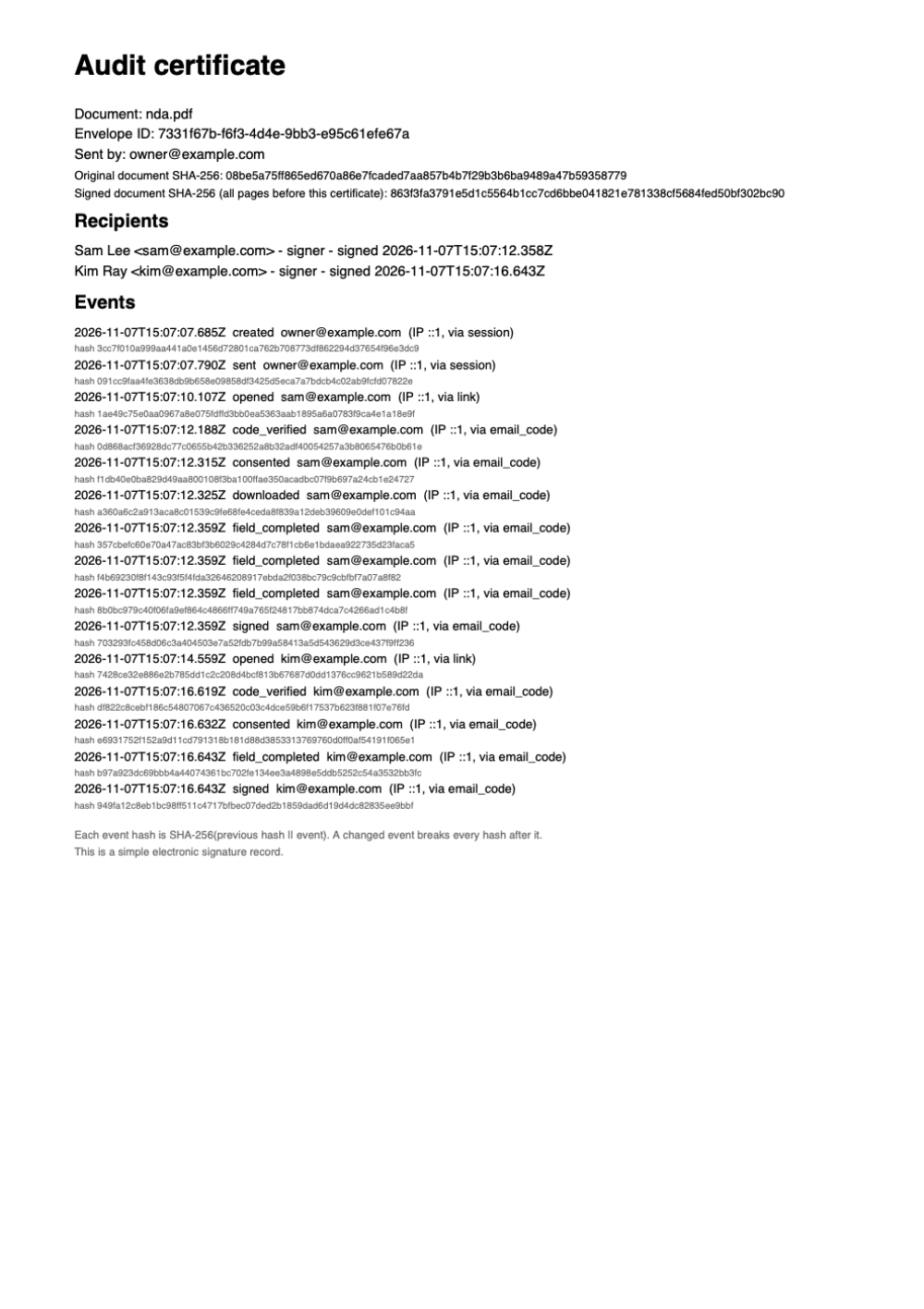
Every finished contract gets a certificate page at the end. It lists each signer, the time they signed, the address they signed from, and every step in between. SignKaro also seals the PDF and adds a trusted timestamp, so a PDF reader shows the seal as broken if anyone changes the file. Anyone can check a copy at signkaro.org/verify. The seal protects the file; the signatures are still simple electronic signatures.
My client lost the signed copy. Can they get it again?
Yes. The Completed email has a download link that works for any file size. It asks for a code sent to their inbox, then they download the signed PDF and the certificate. You can also send the signed copy again from the envelope page.
Can I use Hindi names and text?
Yes. Hindi, Marathi and other Devanagari text, as well as Latin, Greek and Cyrillic, print correctly in templates, edited text, signatures and the audit certificate. Other scripts are not supported yet.
Can I ask signers for an ID card or other documents?
Yes. Ask each signer for up to 5 documents, such as a passport, a PAN card, proof of address or a company certificate. They upload photos or PDFs before they sign. You open each file and approve it, or reject it with a reason, and they get a link to upload again without signing again. The contract completes only when you approve every document. SignKaro checks only the file type and size, not whether a document is genuine. Only your team sees the files.
Can I change the PDF after I upload it?
Yes, until you send it. You can change text, cover a line, add your logo or page numbers, and add, remove, or reorder pages. The file you uploaded is kept exactly as it was.
Can SignKaro write the contract for me?
Yes. Describe what you need in one sentence, and SignKaro opens the right template with your details filled in, or writes a new document when no template fits. Then ask for changes in plain words, and check it for missing terms before you send. Templates and AI drafts are a starting point, not legal advice, so ask a lawyer to review contracts that carry real risk.
What does the AI see?
The AI sees the document text and what you type or paste into the assistant. Details that you type into the form stay with SignKaro. Signers never talk to the AI.
Is my data safe?
Your files are stored on Cloudflare and encrypted when they are sent and when they are stored. Only you and the people you send a contract to can open it.
Is SignKaro really free?
Yes, during early access. You get every feature with no contract limit. AI drafting is limited to 10 actions a month for each person. Your signed documents stay yours.